Which Devices Work With eSIM Your Friendly Compatibility Guide
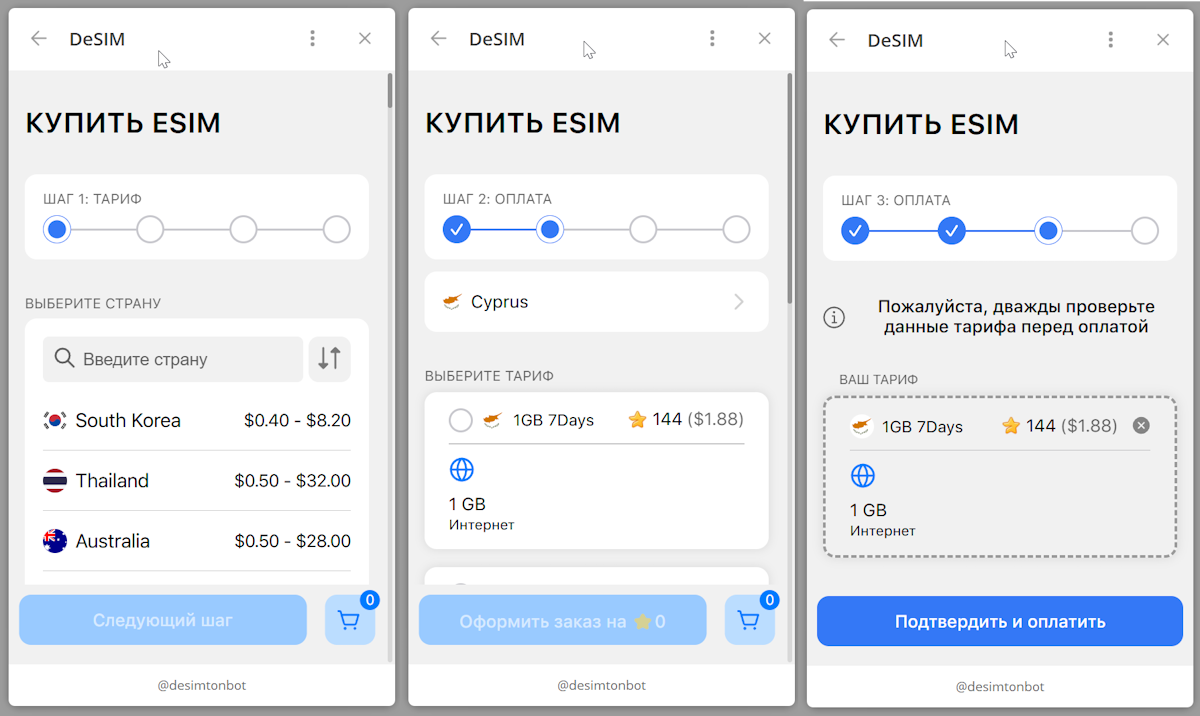
Tired of fumbling with tiny physical SIM cards or needing a paperclip every time you switch carriers? An eSIM compatible device solves this by embedding a digital SIM directly into your phone, tablet, or smartwatch. You simply scan a QR code from your provider to activate a cellular plan instantly, or use a built-in app to add and swap between multiple plans without touching any hardware. This built-in flexibility makes traveling or changing networks as easy as a few taps on your screen.
Understanding eSIM Technology and How It Works
An eSIM is a tiny chip soldered directly into your device, replacing the physical plastic card. For eSIM compatible devices, like recent iPhones or Google Pixels, this means you can activate a cellular plan by scanning a QR code or using an app, without waiting for a SIM to arrive in the mail. The technology works by storing multiple operator profiles on that embedded chip, letting you switch between them through your settings. You might juggle a home line and a travel data pack on the same phone without opening a tray. This integration makes swapping carriers a matter of taps, not trips to a store. As long as your phone, tablet, or smartwatch lists “eSIM support”, you can download and manage service profiles directly, cutting out the need for any physical swap or adapter.
What Makes a Device eSIM Ready
A device is eSIM ready when it contains a dedicated, non-removable embedded SIM chip hardwired to its motherboard, replacing the physical SIM tray. This chip must comply with the GSMA’s Remote SIM Provisioning (RSP) specification to securely store and switch multiple operator profiles. Crucially, the device’s operating system and firmware must include an integrated eSIM manager—native in iOS (from iPhone XS), Android (from Pixel 2), and Windows—to download, activate, and manage profiles without physical swaps. Hardware compatibility with over-the-air provisioning and a certified eUICC UK eSIM (embedded Universal Integrated Circuit Card) are non-negotiable.
- The embedded SIM chip must be permanently soldered to the device’s logic board.
- The device firmware must support the GSMA’s RSP standard for remote profile downloads.
- The operating system must include a native eSIM management interface or settings menu.
- An active internet or Wi-Fi connection is required for the initial profile activation.
The Shift from Physical SIMs to Embedded Profiles
The shift from physical SIMs to embedded profiles removes the need for a physical card, instead storing carrier credentials directly on a device’s chip. For users, this means you can activate a cellular plan by scanning a QR code or using an app, without waiting for a SIM to arrive. Managing multiple numbers becomes simpler, as profile switching without swapping cards allows instant changes between personal and work lines or travel plans. A physical SIM tray is often eliminated, freeing up internal space for other components. Q: Is it possible to revert to a physical SIM after using an embedded profile? A: Yes, many devices support both types, but some models once tied to a profile cannot accept a physical card without carrier intervention.
Leading Smartphones That Support Embedded SIMs
For users seeking leading smartphones that support embedded SIMs, the Apple iPhone 14 series (US models) and Google Pixel 7 and 8 devices are top-tier choices, entirely removing the need for a physical SIM tray. Samsung’s Galaxy S23 and S24 series also provide robust dual eSIM support, enabling seamless switching between multiple carriers directly from settings. These flagship devices ensure that travelers or remote workers can instantly activate a local data plan without hunting for a store. As the most prominent eSIM compatible devices, they offer streamlined setup and enhanced security, making a physical SIM card increasingly obsolete for modern, on-the-go connectivity.
Apple iPhone Models with Built-In eSIM
Apple integrated built-in eSIM support starting with the iPhone XS, XS Max, and XR, allowing users to activate a cellular plan without a physical SIM card. All subsequent iPhone models, including the iPhone 11, 12, 13, 14, 15, and 16 series, retain this Dual SIM capability (one physical nano-SIM plus one eSIM). In the U.S., the iPhone 14, 15, and 16 are eSIM-only, eliminating the physical SIM tray entirely. This design enables effortless carrier switching and dual-line management directly from the device settings, ideal for frequent travelers managing local and home plans simultaneously.
Samsung Galaxy Flagships and Their eSIM Capabilities
Samsung Galaxy flagships, starting from the S20 series, offer robust eSIM support, letting you add a second line without a physical SIM. The Galaxy S23 Ultra, S24 Ultra, and Z Fold series excel at managing dual SIM setups, making it easy to juggle work and personal numbers. For travelers, this means popping in a local eSIM while keeping your home number active. The S24 series even simplifies the setup via a QR code scan. A key perk is the seamless dual SIM management in the settings menu, where you can label lines and choose which handles data. This flexibility makes them top picks among eSIM compatible devices.
| Model | eSIM + Physical SIM | Dual eSIM |
|---|---|---|
| Galaxy S24 Ultra | Yes | No |
| Galaxy Z Fold 6 | Yes | No |
| Galaxy S23 Ultra | Yes | No |
Google Pixel Series: Full eSIM Integration
The Google Pixel series offers seamless dual eSIM connectivity across its modern lineup, letting users activate mobile plans without a physical nano-SIM. Starting with the Pixel 4 and continuing through the Pixel 9, these devices allow storing multiple eSIM profiles while using one for data and another for calls. Setup is instant via the Settings app, scanning a QR code, or using a carrier app—no waiting for a plastic card. This integration enables effortless switching between work and personal lines or local networks while traveling, making the Pixel a top choice for eSIM-centric users.
- Manage up to five eSIM profiles stored on the device simultaneously.
- Switch active lines without restarting or swapping cards.
- Convert a physical SIM to an eSIM directly in settings on supported models.
- Use dual standby with one eSIM on 5G and another on LTE.
Other Android Handsets Featuring eSIM
Beyond flagship models, other Android handsets featuring eSIM include mid-range and business-focused devices from manufacturers like Motorola, Oppo, and Xiaomi. The Motorola Edge series, Oppo Find and Reno lines, and Xiaomi’s 13T Pro all offer dual SIM capability with one eSIM and one physical slot. Sony’s Xperia 1 V and 10 V also support eSIM for international travelers. Users must verify carrier compatibility, as support is often limited on non-flagship models.
Q: Do all Android handsets featuring eSIM allow switching carriers without a physical SIM?
A: Yes, provided your carrier supports eSIM profiles; you can download and activate a new plan directly in the device’s network settings without swapping hardware.
Wearables and Smartwatches with eSIM Connectivity
Wearables and smartwatches with eSIM connectivity function as fully independent eSIM compatible devices, eliminating the need for a paired smartphone to make calls, stream music, or send messages. This integrated chip allows you to maintain a separate mobile number or share your primary line directly on your wrist. The key advantage is true standalone operation during workouts or errands, as you no longer require a nearby phone for connectivity. For users prioritizing freedom from bulky phones, these watches offer practical, always-online utility through a single, embedded digital SIM profile. Choosing an eSIM smartwatch ensures reliable, tethered-free communication wherever you carry your arm.
Apple Watch Cellular Models and Standalone Use
Apple Watch Cellular models (Series 3 and later) function as standalone devices via an embedded eSIM, decoupling calls, messaging, and data from a paired iPhone. Activation requires the watch to share your carrier’s plan; all major US and global carriers support this. For true independent use, the eSIM enables streaming music, using maps, and making SOS calls without the phone nearby. Standalone eSIM connectivity remains dependent on the carrier provisioning a separate line, often a shared-number plan. Q: Can the Apple Watch Cellular model operate fully without any iPhone nearby? A: Yes, once the eSIM is activated, it can make calls, send iMessages, and stream Apple Music independently, though initial setup requires an iPhone.
Samsung Galaxy Watch Range for Tethering
The Samsung Galaxy Watch range leverages eSIM technology for standalone tethering without a smartphone, allowing LTE call relay and data streaming directly from the wrist. Models like the Galaxy Watch6 and Watch5 Pro support mobile network tethering, enabling independent navigation, messaging, and Spotify playback. Pairing is seamless via the Samsung Wearable app, yet battery drain accelerates noticeably during sustained LTE use. Users can set the watch as the primary eSIM device or share a phone’s data plan for on-the-go connectivity.
Garmin and Fitbit Devices Using Embedded SIMs
Garmin and Fitbit leverage embedded SIMs (eSIMs) in specific smartwatch models to enable standalone cellular connectivity. With Garmin’s LTE variants, such as the Venu 2 Plus, the eSIM permits features like incident detection, live tracking, and music streaming without a paired phone. Fitbit’s Sense 2 and Versa 4 use their eSIM for calls, texts, and Google Assistant, but require a separate wearable-only data plan from carriers. Both brands restrict eSIM functionality to select outdoor and fitness-focused tasks, offloading heavy data to Wi-Fi or Bluetooth. The limitation of eSIM to fitness-centric features means users cannot install standard phone apps via the cellular connection.
Garmin and Fitbit eSIMs deliver core connectivity for safety and communication, but are purpose-built for athletic use rather than full smartphone replacement.
Laptops, Tablets, and Hybrid Devices
For laptops, tablets, and hybrid devices, eSIM compatibility primarily solves connectivity constraints for mobile professionals without requiring a physical SIM slot. In a laptop or hybrid, an eSIM allows you to switch between carrier profiles directly in the OS settings, which is particularly useful for devices with sealed chassis that lack a SIM tray. On a tablet, the eSIM eliminates the need to carry a separate hotspot or tether to a phone, preserving battery life and maintaining a dedicated data connection.
The critical advantage is that these devices can maintain a persistent, secure cellular link for remote access or cloud-based work, independent of public Wi-Fi risks.
However, you must verify that your device’s cellular modem supports the specific eSIM profile format (e.g., GSMA RSP v2.0) and that your carrier allows eSIM activation on non-handheld devices, as some restrict it to smartphones.
Microsoft Surface Pro and Always-Connected PCs
The Microsoft Surface Pro, particularly models like the Pro 9 and Pro 10, integrates an eSIM alongside a physical nano-SIM slot, enabling users to switch between cellular carriers directly within Windows settings without needing a physical card swap. For Always-Connected PCs, such as the Surface Pro X or other Qualcomm-based devices, the eSIM facilitates persistent LTE or 5G connectivity, allowing instant resume and background data sync. This makes them practical for professionals who rely on eSIM-driven cellular access for field work or travel, as they can provision data plans remotely before leaving the office, eliminating downtime from searching for local SIMs.
Apple iPads with Cellular and eSIM Options
Apple iPads with cellular capabilities now rely on eSIM for iPads to provide flexible connectivity without a physical SIM slot in many models. You can activate a data plan directly from the Settings app, choosing from supported carriers globally. This makes switching between travel plans or local networks seamless. For example, the iPad Pro and iPad Air (cellular models) allow you to store multiple eSIM profiles, though only one can be active at a time alongside a physical nano-SIM on some older versions. Setup is instant—just scan a QR code or use a carrier app.
Q: Can I use two cellular lines simultaneously on an iPad with eSIM?
A: No, you can only use one active data connection at a time, but you can keep multiple eSIM profiles saved for quick switching.
Chromebooks and Windows Laptops Offering Built-In Connectivity
Modern Chromebooks and Windows laptops increasingly ship with embedded SIM (eSIM) slots, eliminating the need for physical nano-SIM cards or external dongles. You can instantly activate a cellular data plan directly through your device’s settings, enabling always-on connectivity for Chromebooks and Windows laptops without hunting for Wi-Fi. This built-in approach typically supports multiple carrier profiles, allowing you to switch providers for better coverage without swapping hardware.
Q: Do I need a separate data plan for a Chromebook or Windows laptop with built-in eSIM vs. a phone? A: Yes, most laptops require a dedicated data plan, though some carriers allow sharing from a smartphone’s existing plan for a small fee. The laptop’s eSIM is independent of your phone’s SIM, giving you flexible, on-the-go internet access.
Routers, Hotspots, and IoT Gadgets
For travelers and remote workers, an eSIM-compatible hotspot eliminates the need for physical SIM swaps, letting you activate a data plan from a global carrier instantly via a QR scan. Dedicated eSIM routers offer a superior solution for equipping multiple devices on a single trip, providing a stable Wi-Fi network without lugging multiple foreign SIMs. IoT gadgets like smart sensors and trackers gain a distinct advantage from embedded eSIMs, as they can maintain cellular connectivity in varied locations without manual provisioning. However, this seamless roaming only works if your router’s eSIM management interface is genuinely user-friendly, not buried in opaque firmware settings. A portable eSIM hotspot thus becomes a flexible backbone for all your phones, laptops, and smart gear.
Portable Wi-Fi Hotspots Designed for eSIM Profiles
Portable Wi-Fi hotspots designed for eSIM profiles eliminate the need for physical SIM cards, allowing you to switch between mobile data plans directly from a companion app. These devices let you purchase and activate regional data packs instantly, avoiding roaming fees by connecting to local networks abroad. A single hotspot can share a secure, high-speed connection with up to ten devices, making it ideal for remote work or travel groups. eSIM-powered hotspot versatility ensures you never hunt for a local SIM again.
Portable Wi-Fi hotspots for eSIM profiles offer instant, app-based plan switching and multi-device connectivity, removing physical SIM hassles while traveling.
Smart Home Hubs and Security Cameras
Smart home hubs and security cameras with eSIM compatibility offer independent connectivity without relying on your home Wi-Fi. For a security camera, an eSIM allows continuous video monitoring and cloud uploads even during internet outages. A smart hub with an integrated eSIM can manage devices via cellular fallback, ensuring automation rules for lights or locks still function. When setting up a system:
- Insert the provided eSIM profile into the hub or camera’s management interface.
- Select a data plan optimized for low-bandwidth IoT traffic.
- Position cameras in range of strong cellular signal for reliable streaming.
eSIM-equipped security cameras eliminate the need for a separate Wi-Fi bridge, but require checking that the hub’s eSIM supports your region’s LTE bands for consistent coverage.
Industrial IoT Sensors and Remote Monitoring Tools
Industrial IoT sensors paired with remote monitoring tools leverage eSIM technology for persistent, low-latency data streaming across harsh environments. These sensors track parameters like vibration, temperature, and pressure, transmitting real-time diagnostics to centralized dashboards. Predictive maintenance algorithms analyze this data to preempt equipment failures, reducing costly downtime. eSIMs enable automatic carrier switching in geographically dispersed assets, ensuring uninterrupted connectivity. Calibration intervals vary significantly between sensor types, affecting long-term deployment costs. A practical comparison:
| Sensor Type | Typical Use Case | eSIM Benefit |
|---|---|---|
| Vibration sensor | Motor bearing wear detection | Seamless handover across factory zones |
| Temperature/humidity sensor | Cold chain logistics monitoring | Global roaming without manual SIM swaps |
| Pressure sensor | Pipeline leak detection | Secure, redundant network failover |
Remote monitoring tools aggregate these data streams into actionable alerts, with eSIM-backed gateways supporting edge processing for sub-second anomaly responses in critical systems.
How to Find If Your Device Has eSIM Support
You pull out your phone, wondering if it can ditch the plastic SIM. To find if your device has eSIM support, first check your phone’s IMEI—dial *#06#. If two unique IMEI numbers appear, your device likely has a built-in eSIM. Next, dive into Settings: on an iPhone, tap “Cellular” and look for “Add Cellular Plan”—if it’s there, you’re good. On Android, go to “Network & Internet” then “SIMs”; a “Download SIM” option confirms eSIM readiness. For older phone, visit the manufacturer’s official spec page and search for “esim compatible devices” in the model’s cellular section. Remember, carrier compatibility varies by region, so test with a free trial plan before committing.
Checking Settings and System Information
To determine eSIM support via system information, first navigate to your device’s settings menu and connection settings. On an iPhone, go to **Settings > General > About** and look for an “Available eSIM” or “Digital SIM” entry. For Android, access **Settings > Connections > SIM Card Manager**; if an “Add eSIM” or “SIM Manager” option appears, the hardware is capable. On Windows devices, check **Settings > Network & Internet > Cellular**; an “Add eSIM profile” button confirms compatibility. This direct inspection eliminates reliance on marketing specs.
- iPhone: Verify under Settings > General > About for “eSIM” or “Digital SIM” listing.
- Android: Look for “Add eSIM” in Settings > Connections > SIM Card Manager.
- Windows: Check Settings > Network & Internet > Cellular for “Add eSIM profile” option.
Verifying with Your Carrier or Manufacturer
To confirm eSIM compatibility, your most reliable step is direct verification with your carrier or manufacturer. Contact your carrier’s customer support or visit their official website, as they maintain a live database of activated eSIM profiles for specific device models. Simultaneously, check the manufacturer’s official support page using your device’s IMEI number—this provides a definitive yes-or-no answer. Avoid relying solely on general lists, as carrier compatibility varies by region and firmware. Always verify both sources before purchasing an eSIM plan to ensure seamless activation.
Future Trends in Devices Without Physical SIM Slots
The future of devices without physical SIM slots points toward seamless, multi-network agility. As eSIM-only hardware becomes standard, users will gain instant profile switching between carriers without fumbling with trays. Ultra-thin, fully sealed designs will become the norm, enhancing water resistance and structural integrity. Dual or triple eSIM support will allow concurrent personal, work, and travel lines on a single chip. This shift will paradoxically require users to manage digital profiles with more care than a lost physical card demands. You will activate service remotely before even unboxing your device, eliminating retail visits and waiting for SIM delivery entirely.
Predictions for Mainstream Adoption
Mainstream adoption of eSIM-only devices will hinge on seamless carrier onboarding, predicted to become a standard, one-click process within the next three years. As users grow accustomed to managing multiple profiles for work and travel, device makers will likely phase out physical slots from mid-range phones, not just flagships. The key barrier—user hesitation during setup—is forecasted to dissolve when instant activation is as simple as scanning a QR code upon purchase. Legacy backup support via software-based recovery will replace physical SIM swapping.
Q: What is the most crucial prediction for mainstream adoption of eSIM devices?
A: That carriers will unify their activation interfaces, making digital profile transfers instantaneous and removing friction entirely.
Emerging Categories: AR Glasses and Connected Vehicles
Augmented reality glasses and connected vehicles are pushing the eSIM frontier. For smart glasses, a single eSIM profile can manage data for overlays, notifications, and voice commands without draining a phone’s battery. With connected cars, the eSIM shifts from a phone tether to a dedicated line for real-time navigation, streaming, and automatic software updates. Embedded connectivity in vehicles means your car now has its own data plan, so you never need to hunt for a network. For both categories, setup follows a clear sequence:
- Activate the profile directly through the device’s interface.
- Choose a data-only plan from a compatible carrier.
- Confirm the connection with a provider app or QR code.
This shift makes AR glasses and cars truly independent devices, not just smartphone accessories.
What Makes a Phone Compatible with an eSIM
Check Your Device’s IMEI for eSIM Support
Key Hardware Requirements Inside eSIM-Ready Phones

Difference Between Dual SIM and Single eSIM Phones

How to Activate and Manage an eSIM on Your Device
Scanning a QR Code to Install an eSIM Profile
Manual Entry Steps for Providers Without QR Codes
Switching Between Multiple eSIM Profiles on One Phone
Top Benefits of Using an eSIM-Enabled Device